Dell · Cables & Hubs
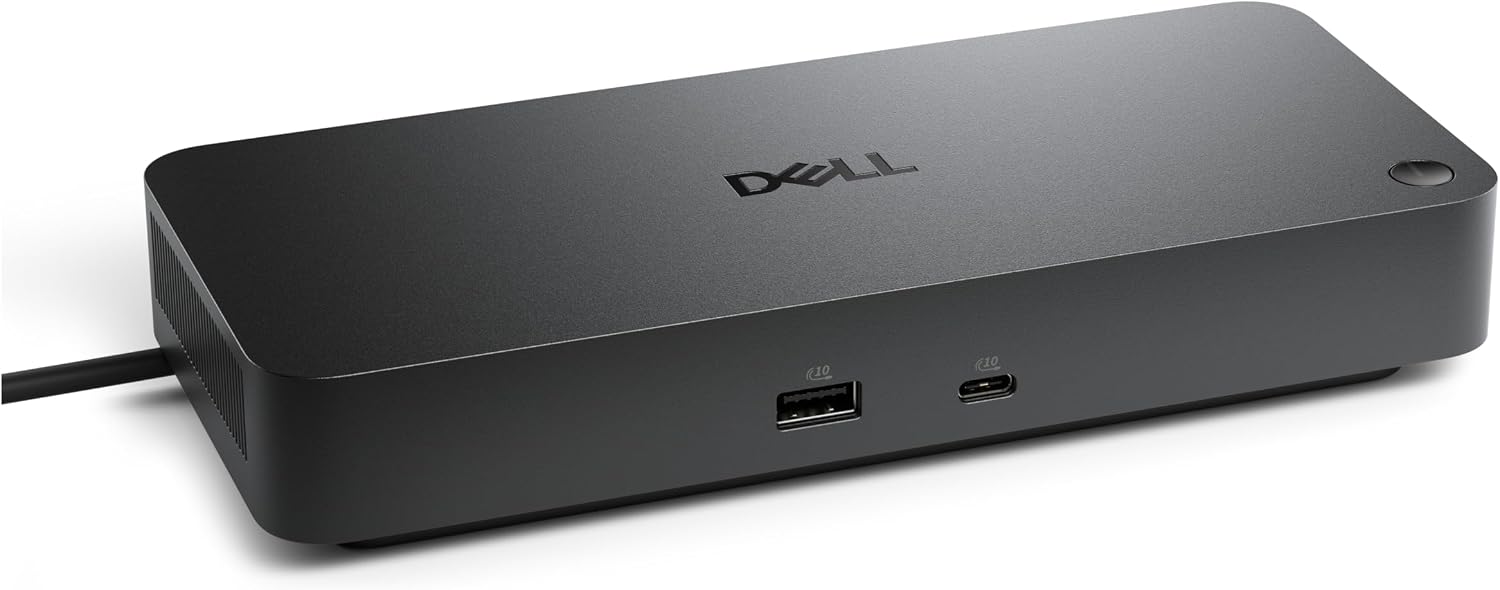
Dell Pro Dock WD25Z USB-C Docking Station with 180W Adapter
A business-focused USB-C dock for simplifying a Dell laptop desk setup. Its main appeal is single-cable convenience, but port and charging compatibility need verification.
Best for a permanent desk setupCheck Amazon for current price
Reviewed by SpecVexa Editorial · Updated Sep 6, 2026
Research review — we assess specs, ports, and stated compatibility against the manufacturer listing rather than lab testing, and we never describe hands-on use we have not done. How we review
Check price on Amazon →
Amazon US affiliate link · commission may apply
Pros
- Single USB-C connection can simplify a permanent desk setup
- First-party fit for compatible Dell business laptops
- Supports consolidating displays, networking, power, and USB peripherals
- Listed with a 180W power adapter
- Better support-documentation potential than many generic hubs
Cons
- Exact display and charging capabilities depend on the connected laptop
- Thunderbolt support should not be assumed without listing confirmation
- Complete port inventory must be checked before purchase
- High rating is based on a very small review sample
Bottom line
The Dell Pro Dock WD25Z is a sensible docking station for Dell laptop users who want one USB-C connection for desk peripherals, displays, networking, and power. It is easiest to recommend for managed offices or home workspaces built around compatible Dell hardware; owners of mixed-brand or older USB-C laptops should verify every required connection before ordering.
Buy this if
- You use a compatible Dell business laptop as your primary desk computer.
- You want to connect monitors, Ethernet, USB accessories, and power through one dock connection.
- You regularly carry your laptop between a desk and meeting rooms or home and office.
- You prefer a first-party Dell dock over piecing together several adapters.
- You need a dock supplied with the listed 180W power adapter, while understanding that laptop charging output may differ.
Skip if
- Your laptop has USB-C only for data or charging and does not support video output through that port.
- You need Thunderbolt-specific bandwidth or features that are not clearly confirmed in the Amazon listing.
- You only connect one or two basic accessories and could use a smaller USB-C hub.
- You need a particular multi-monitor resolution or refresh-rate combination without checking Dell's compatibility documentation first.
Bandwidth and power budget
A cable or hub does not add capability to your laptop — it carries, or divides, what a single port already has. Read this section as a budget you are spending, not features you are gaining.
What this listing states
- Charging wattage stated — listedTells you whether it can keep the laptop charged through the same port it occupies.
- HDMI video — not listedOnly works if the host port itself carries video. No adapter can create a display signal that is not there.
- 4K or higher stated — not listedCheck whether the listing says 4K at 60Hz or only 30Hz — 30Hz is visibly choppy for desktop work.
- Ethernet — not listedWorth it for stable calls and big transfers, and it shares the same lane as everything else on the hub.
- Card reader — not listedSaves carrying a separate reader if you shoot photo or video.
- Thunderbolt or USB4 — not listedThe high-bandwidth tier — needed for dual displays or fast external storage, and only useful if your laptop has it too.
Budget the one port you are giving up
- Video only works if your laptop's USB-C port supports DisplayPort Alt Mode. No hub can add it.
- 4K at 60Hz needs roughly twice the bandwidth of 4K at 30Hz; inexpensive hubs often list only 30Hz in the fine print.
- Pass-through charging typically loses 10–15W to the hub, so size your charger above your laptop's rating.
- Running an external display, gigabit Ethernet, and fast storage at once will slow at least one of them down.
- For cables, length costs signal: long HDMI and USB-C runs may quietly drop to a lower resolution or speed.
Listed items come from this product's own Amazon listing. An unlisted item is one the manufacturer does not mention — it may still be present, so confirm on the listing before buying.
Full review
Performance & everyday use
The WD25Z addresses the main problem a full-size dock should solve: turning a portable computer into a practical workstation without reconnecting every cable. Leave the monitor, keyboard, mouse, network cable, storage, and other desk accessories attached, then connect the laptop through USB-C when it is time to work.
Actual display support is the area that deserves the most scrutiny. The number of usable monitors, available resolution, refresh rate, and charging behavior can depend on the laptop's USB-C implementation, operating system, graphics hardware, firmware, and cable path. A USB-C connector alone does not guarantee every dock feature. Check the Amazon listing and Dell's support page for your exact laptop model rather than relying solely on the dock's product title.
For office use, a wired network connection and consolidated peripherals can provide a cleaner, more consistent setup than a collection of small adapters. However, buyers should not treat the included 180W adapter rating as a promise that a laptop receives that full amount. The dock itself and attached devices also require power, and supported laptop delivery may be lower.
Build, comfort & setup
Dell's first-party positioning is useful in business environments because support documentation, firmware updates, and laptop compatibility information are more likely to exist in one ecosystem. That can reduce troubleshooting compared with an unbranded hub, particularly when multiple Dell systems share desks.
Setup should be straightforward when the laptop is supported: connect the dock's power supply, attach peripherals, connect USB-C, and install any firmware or driver updates Dell recommends. Cable management still matters because display, network, power, and USB leads can crowd the dock. Confirm that the package includes the expected power components and that the dock offers enough of each port type for your setup; the supplied metadata does not establish a complete port inventory.
Value & alternatives
The WD25Z offers the strongest value when it replaces multiple adapters and stays attached to a permanent workstation. It may also be worth choosing over a generic hub when Dell compatibility, wired networking, firmware support, and dependable daily docking are priorities. Check Amazon for the current price and compare it with Dell's current direct-sale options.
A compact hub is the better alternative for travel or a desk with minimal peripherals. A clearly specified Thunderbolt dock is more appropriate for shoppers who need confirmed high-bandwidth storage, specialized displays, or other Thunderbolt-dependent equipment. The WD25Z also has a very small customer-review sample, so its high early rating should not carry the same weight as long-term feedback from hundreds of owners.
Verdict
The Dell Pro Dock WD25Z is a focused choice for compatible Dell laptop workstations, especially where single-cable desk transitions and first-party support matter. It is not a universal recommendation: verify the port layout, laptop charging support, display limits, operating-system compatibility, and included accessories on Amazon and Dell's documentation before buying. With those boxes checked, it should be a cleaner and more supportable solution than a stack of separate dongles.
How it compares to our other picks
| Pick | Type | HDMI | Ethernet | SD/TF | PD charging | Rating | Best for |
|---|---|---|---|---|---|---|---|
| Dell Pro Dock WD25Z USB-C Docking Station with 180W AdapterThis review | Docking station | — | — | — | ✓ | ★ 4.9 | A permanent desk setup |
| Dell HD22Q Dual Monitor Docking Station with Wireless Charging Stand | Docking station | ✓ | — | — | — | ★ 4.4 | A permanent desk setup |
| Dell DA300 USB-C Mobile Adapter | Cable | ✓ | ✓ | — | — | ★ 4.4 | Everyday connections |
| Dell USB 3.0 Ultra HD/4K Triple Display Docking Station D3100 | Docking station | — | ✓ | — | — | ★ 4.4 | A permanent desk setup |
✓ = listed by the manufacturer. — = not listed (may still be present). Specs reflect current listings; confirm details and price on Amazon.
Related reviews
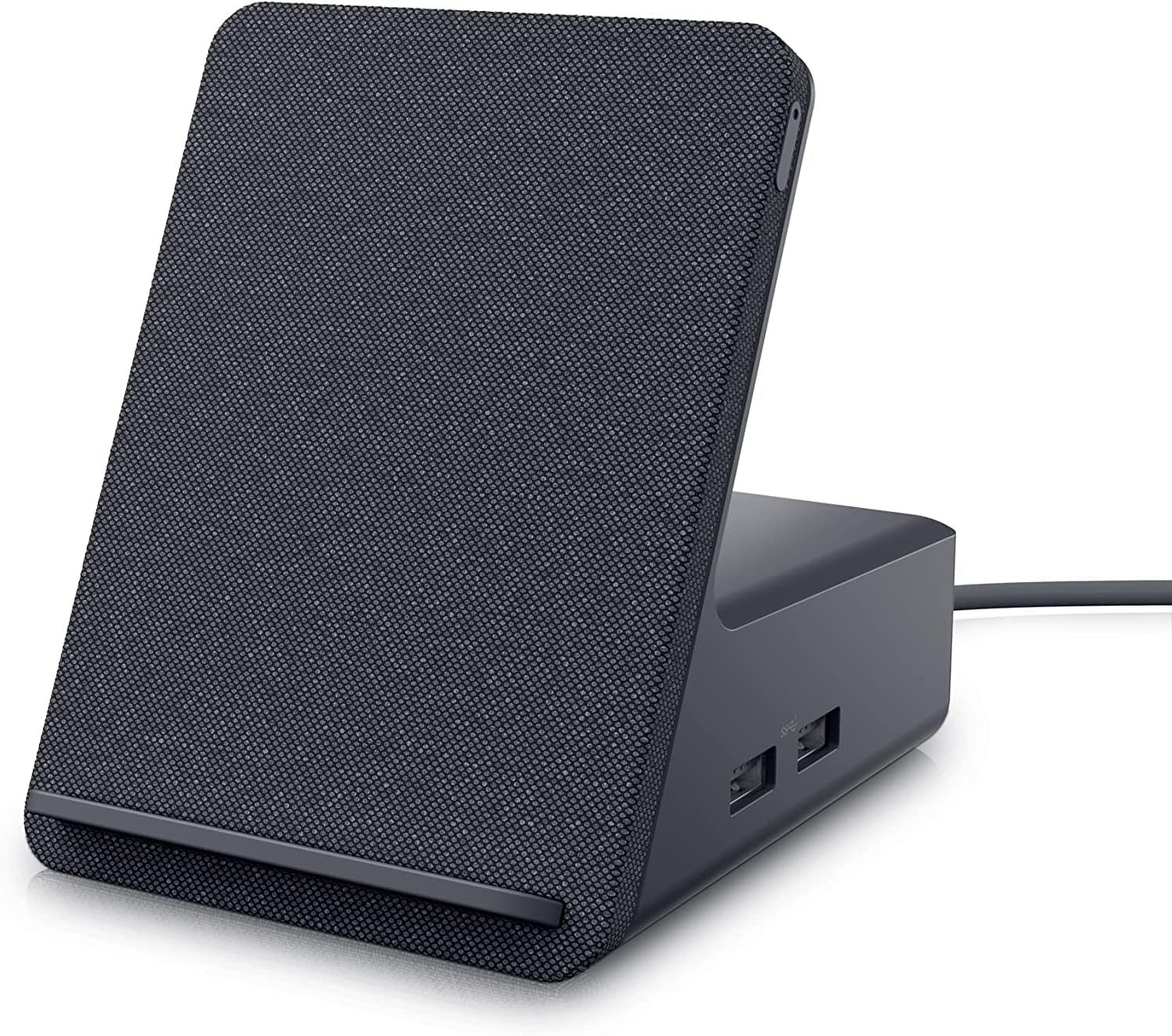
Dell HD22Q Dual Monitor Docking Station with Wireless Charging Stand
The Dell HD22Q combines dual-monitor connectivity, USB-C docking, and a wireless phone-charging stand in one tidy desktop hub. Its appeal depends heavily on laptop compatibility.
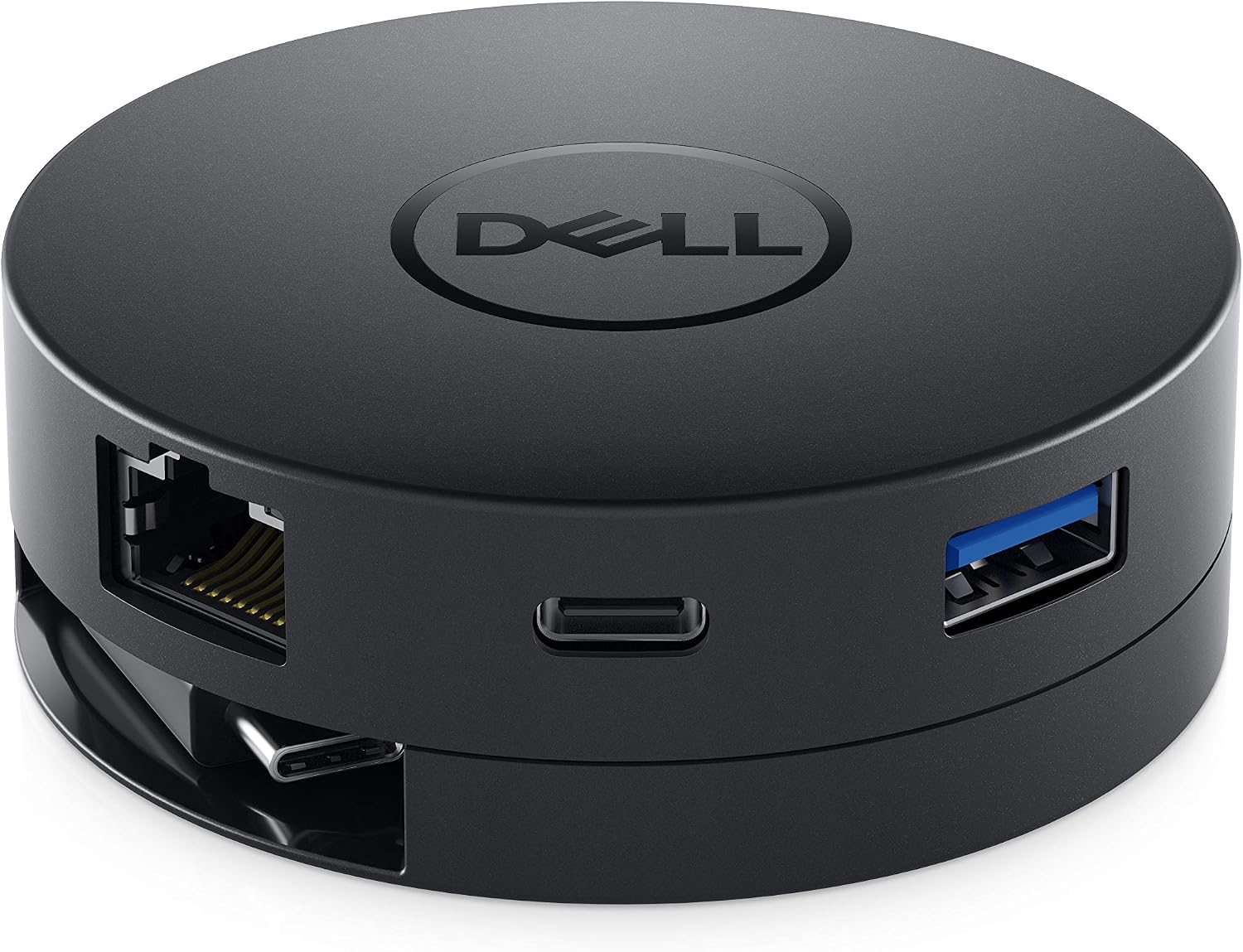
Dell DA300 USB-C Mobile Adapter
A compact USB-C travel adapter with modern and legacy display connections, USB expansion, and wired networking. Best for single-screen presentations and mixed office hardware.
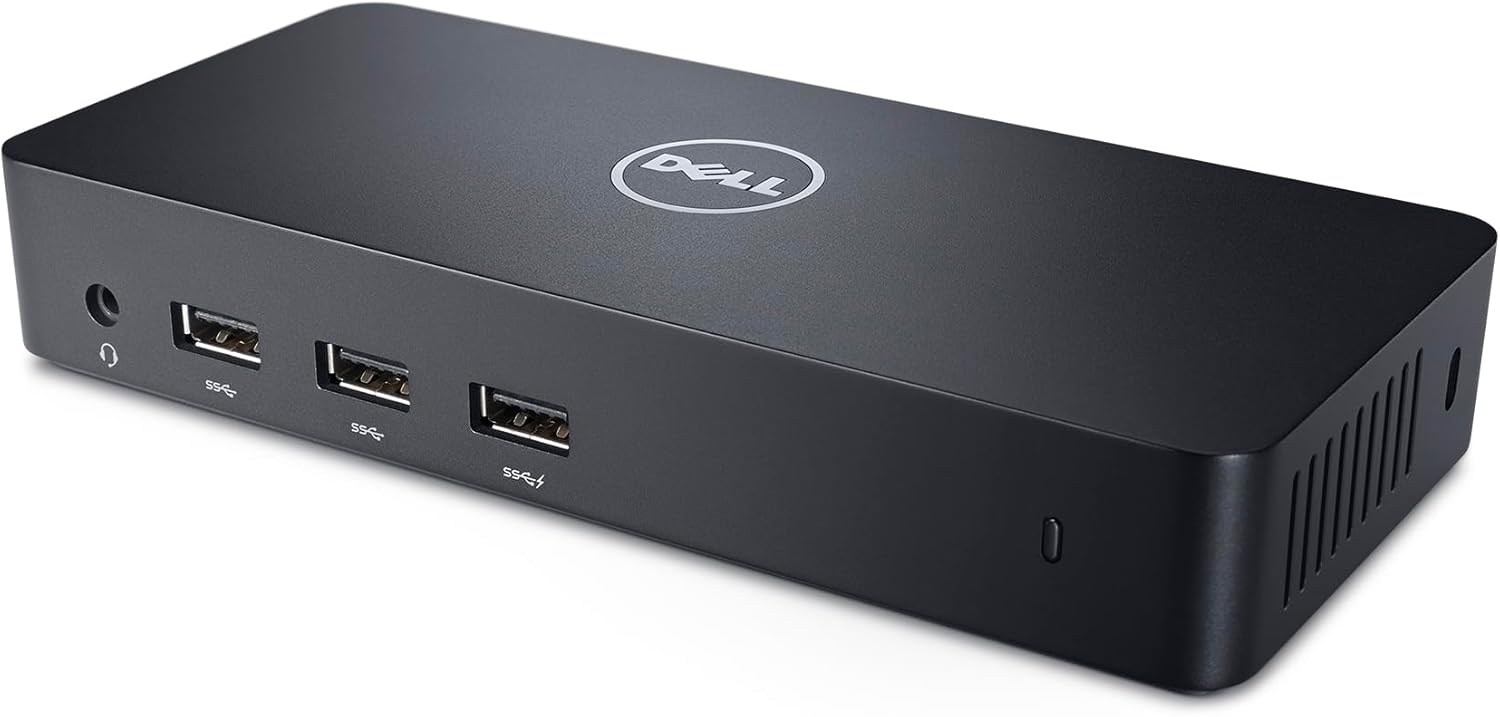
Dell USB 3.0 Ultra HD/4K Triple Display Docking Station D3100
The Dell D3100 adds up to three displays plus practical desktop connections through USB 3.0, but its DisplayLink design and lack of laptop charging require careful compatibility checks.
Dell Pro Dock WD25Z USB-C Docking Station with 180W Adapter
Best for a permanent desk setup